


Apple Audio Video Visual Tips
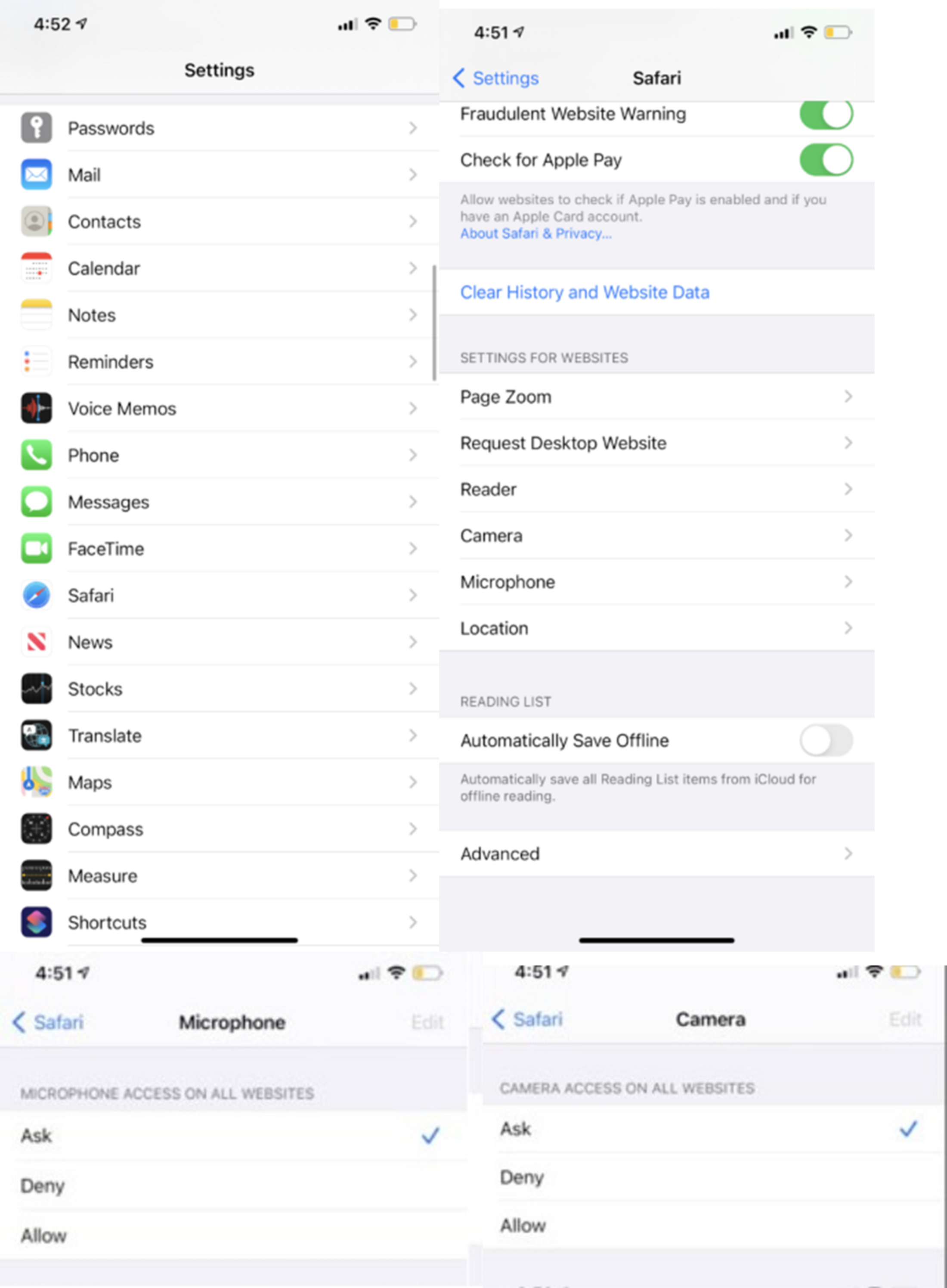
On iPhones and iPads
Go to the Settings application and navigate to the browser settings to enable access.
On a Mac device
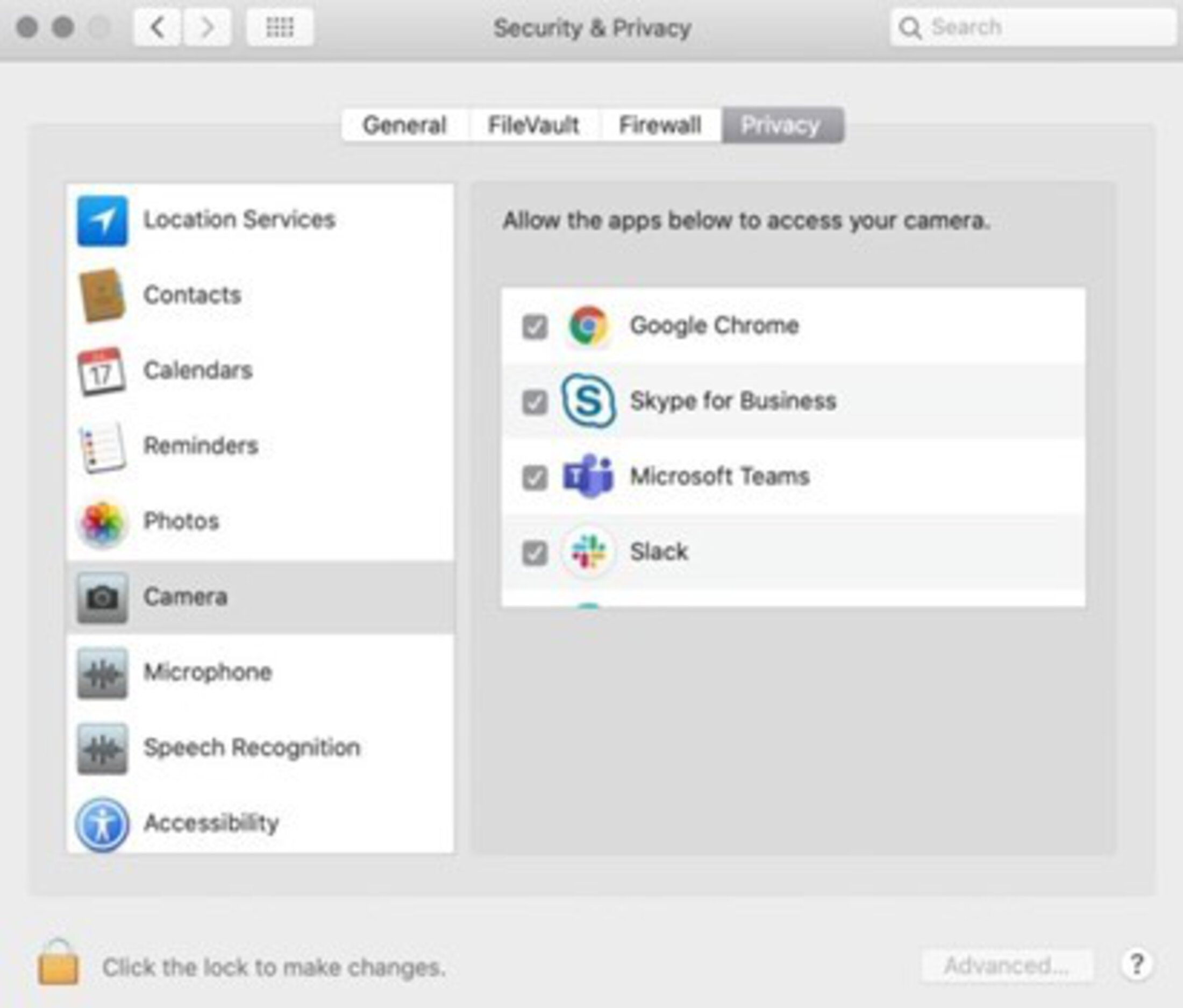
Navigate to “System Preferences.” Then click on “Security and Privacy.” Use the tabs at the top of the window to go to “Privacy.” On the left hand menu, click “Camera” and “Microphone” to ensure your browser has been granted access.
For technical support, please contact Telehealth Centralized Support at 843-792-4864.
